
If you are trying to create Reels, product videos, tutorials, YouTube content, advertisements, or simple social media clips, choosing between all the available video editing apps for small business can become overwhelming very quickly. Some apps are designed for fast editing on a phone, others give beginners more control on a computer, and professional programs can do almost anything but may take considerably longer to learn.
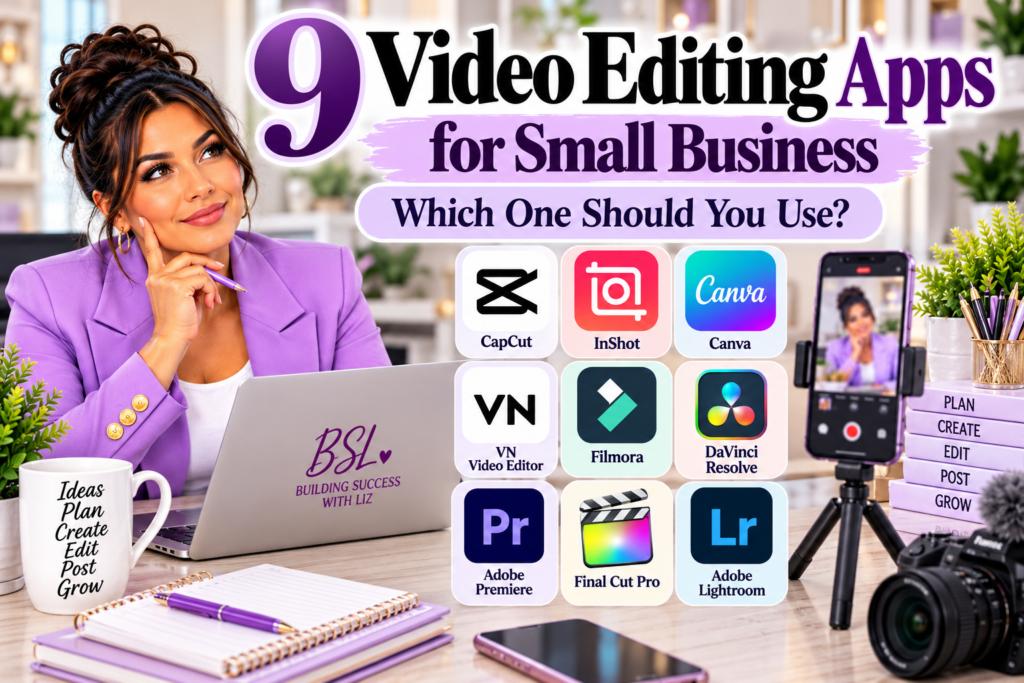
The good news is that you do not need the most complicated video editor to create useful business content. You need an editing tool that matches the type of content you create, the device you prefer to work on, your current skill level, and how much time you realistically want to spend editing.
That is what this guide is designed to help you decide. Instead of declaring one editor the “best” for everyone, we are looking at nine video editing apps for small business and the type of creator each one may fit best.
Video Editing Apps for Small Business Are Not All Designed for the Same Job
One of the biggest mistakes beginners make is downloading a professional editor because someone online said it is the “best,” then becoming frustrated because the program is far more complicated than the videos they actually need to create. A business owner making three 30-second Facebook or Instagram videos every week has very different editing needs from someone producing long-form YouTube documentaries or professional client videos.
Before choosing an editor, think about the content you expect to create most often. A tool for quick social media clips should make trimming, captions, resizing, music, and simple effects easy, while a professional editor needs deeper controls for color, audio, multicamera footage, graphics, and complex timelines.
Your business does not earn extra points because your video took six hours to edit. If a simpler app produces the result your audience needs in thirty minutes, that may be the smarter business tool.
If you are still deciding how social media fits into your overall marketing, BSL’s guidance on selling and promoting your business can help you think about where your content is supposed to lead customers instead of creating videos simply because everyone else is doing it. Explore BSL selling strategies
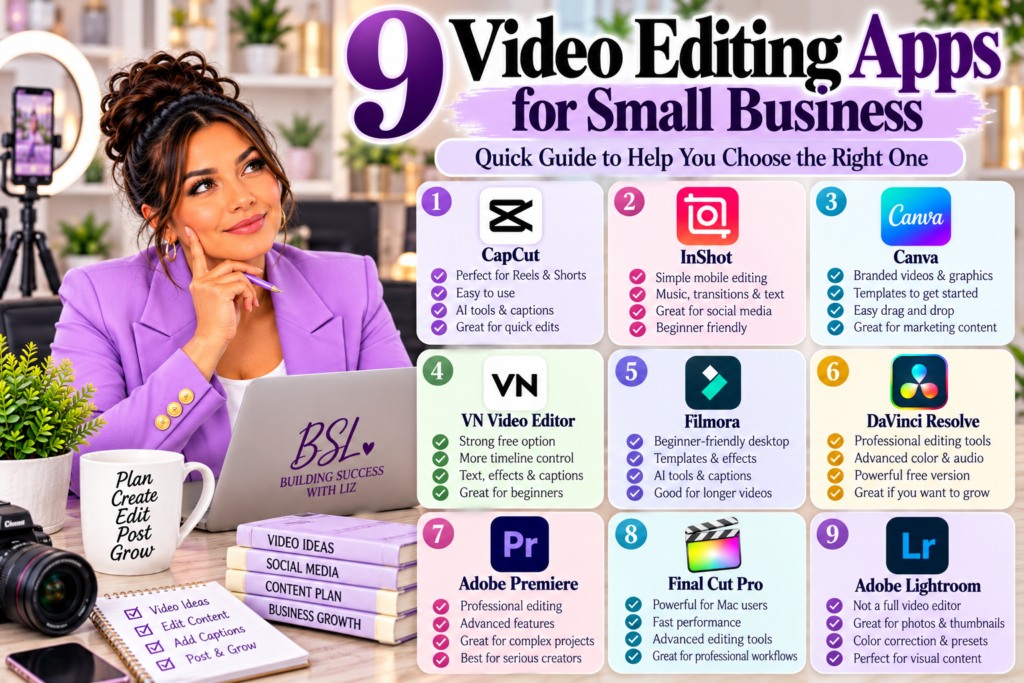
1. CapCut: Strong for Reels, Shorts, and Fast Social Video
CapCut remains one of the most recognizable choices for short-form creators because it is built around fast editing, captions, social formats, effects, and AI-assisted tools. Its current editing tools include trimming, timing, text, audio, subtitles, background removal, AI clip creation, and other features aimed heavily at short-form content.
For a small-business owner regularly producing Facebook Reels, Instagram Reels, YouTube Shorts, or similar vertical content, CapCut can reduce the amount of technical editing knowledge required to get something finished. It works especially well when speed matters more than having professional post-production control over every part of the footage.
That does not mean every business automatically needs CapCut. If most of your content is simple talking-head videos, product demonstrations, or basic clips with captions, several of the other video editing apps for small business on this list may be just as practical.
2. InShot: A Simple Mobile Choice for Everyday Social Content
InShot is another strong option for people who prefer working directly from a phone or tablet. Its current tools include trimming and merging, music, voiceovers, transitions, text, keyframe animation, picture-in-picture editing, automatic captions, background removal, smart tracking, stabilization, and exports up to 4K at 60 frames per second.
The biggest appeal is accessibility. A business owner who does not want to sit at a computer every time a short video needs editing can record, trim, add captions, make basic visual adjustments, and prepare the video for social media from the same device.
InShot makes the most sense when your editing needs are straightforward and mobile-first. If your business eventually moves toward larger projects with dozens of clips, advanced audio work, detailed color correction, or complicated motion graphics, you may eventually want something deeper.
3. Canva: Best When Your Videos Need to Match Your Brand
Canva deserves a place among video editing apps for small business because many business owners are not creating video in isolation. They are also creating social graphics, flyers, presentations, thumbnails, promotional posts, product graphics, and branded marketing materials.
Canva’s updated video editor includes a multi-track timeline, clip trimming, transitions, captions, audio waveforms, layered video and graphics, resizing, background removal, AI-assisted video tools, and direct social publishing. Canva also allows creators to work from templates, which can help businesses maintain more consistent fonts, colors, and branding across different types of content.
For someone already designing business content in Canva, using the same platform for straightforward promotional videos can make the workflow much easier. You may not need to move a simple product Reel into professional editing software when the graphics, text, branding, stock footage, and video clips are already inside the same Canva project.
4. VN Video Editor: A Strong Free Option With More Timeline Control
VN Video Editor sits in an interesting position because it can remain beginner-friendly while offering more traditional timeline controls. The current app includes multi-track editing, precise trimming, keyframes, picture-in-picture layers, auto captions, text-to-speech, background cutout, speed curves, LUT support, and exports up to 4K at 60 frames per second.
That makes VN worth considering for creators who have started to outgrow very basic mobile editors but are not ready to jump directly into something like Premiere Pro or DaVinci Resolve. It can give you more room to learn actual timeline editing while still keeping the interface approachable.
For beginners comparing video editing apps for small business, VN can be especially appealing when budget matters. It provides many of the editing concepts you would eventually encounter in larger programs without requiring you to begin with a professional post-production environment.
5. Filmora: Beginner-Friendly Desktop Editing With Room to Grow
Filmora is aimed heavily at creators who want a more traditional desktop editor without immediately dealing with the complexity associated with professional production software. Its current platform includes timeline editing, templates, effects, transitions, captions, motion tools, screen recording, AI-assisted media organization, text-based editing, and video-generation tools.
For a small-business owner who wants to create longer tutorials, YouTube videos, product demonstrations, educational content, or polished marketing videos, Filmora may provide a comfortable middle ground. It offers significantly more control than a basic mobile editor while still emphasizing usability.
The free desktop version can be used to explore the program, but Wondershare currently notes that exported videos from the free desktop version include a watermark. That is something to consider before building an entire workflow around the free version.
6. DaVinci Resolve: Powerful Professional Editing With a Strong Free Version
DaVinci Resolve is in a different category from basic social editing apps. It combines professional video editing, color correction, visual effects, motion graphics, audio post-production, and finishing in one environment, and Blackmagic Design continues to offer a powerful free version.
The platform has also continued adding AI-assisted capabilities. DaVinci Resolve 21 introduced new AI tools, and the 21.1 update added integration with AI assistants for certain tasks such as organizing media and managing project work through conversational instructions.
The tradeoff is learning time. DaVinci Resolve can do considerably more than most small businesses need for a basic Reel, so downloading it does not automatically make sense simply because it is powerful. If you are serious about video production, want advanced color grading and audio capabilities, or expect video to become an important part of your business, learning Resolve can be an excellent long-term investment.
7. Adobe Premiere: Professional Editing for Complex Projects
Adobe Premiere remains a professional editing platform designed for creators who need greater control over larger productions. Current Premiere tools include text-based editing, multicamera workflows, professional effects, color tools, AI-assisted features, and newer generative media capabilities that can create video and sound elements directly within the editing workflow.
Premiere makes more sense when video is becoming a substantial part of your work rather than an occasional marketing task. Someone managing client projects, long-form video, complicated timelines, interviews, multicamera footage, or regular professional production may benefit from the deeper workflow.
For a beginner creating two social videos per week, however, Premiere may be more software than necessary. When choosing among video editing apps for small business, the question should always be whether the extra capability will actually improve your business enough to justify the cost and learning curve.
8. Final Cut Pro: A Powerful Choice for Apple-Based Creators
Final Cut Pro is Apple’s professional video editor and works particularly well for creators already committed to the Apple ecosystem. Apple’s current Final Cut Pro includes the Magnetic Timeline, automatic captions, object tracking, professional color tools, audio editing, automatic reframing, and other AI-assisted features.
Recent 2026 updates added features such as Transcript Search, Visual Search, Beat Detection, automatic caption generation, and improved object isolation. These tools can speed up the process of finding footage and preparing finished content for different platforms.
Final Cut Pro is especially worth considering for Mac users who want professional editing power without moving into Adobe’s workflow. Like Premiere and DaVinci Resolve, though, it is most valuable when your editing requirements justify learning a professional application.
9. Adobe Lightroom: Not a Full Video Editor, but Still Useful for Content Creators
This is where I want to correct something that many comparison graphics get wrong. Adobe Lightroom is primarily a photography and image-editing application, not a replacement for Premiere, Final Cut Pro, or DaVinci Resolve.
That does not mean Lightroom has no place in a small-business content workflow. Current Lightroom tools include masking, color correction, generative expansion, reflection removal, AI sharpening, and prompt-based photo editing. Adobe has even added the ability to turn photos into short video clips, but its main strength remains photography and image enhancement.
Lightroom can be extremely useful for preparing product photos, social graphics, thumbnails, before-and-after images, and photography that will eventually be placed inside a video. I would think of it as a companion to your video editor rather than one of the primary video editing apps for small business.
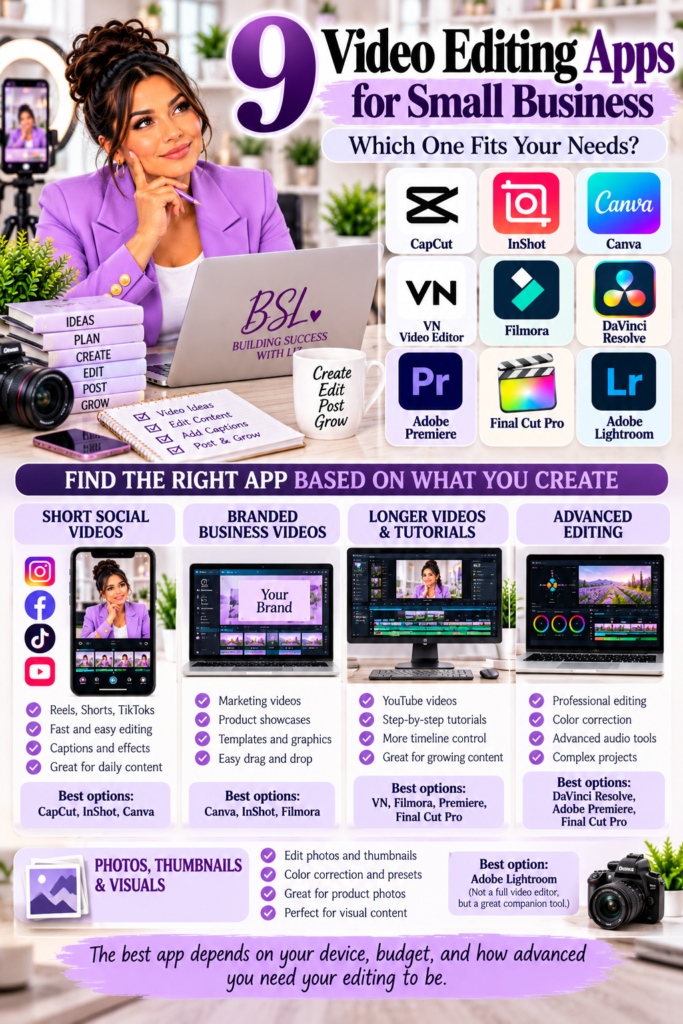
Quick Comparison: Which Editor Fits Which Type of Creator?
| Tool | Strongest Fit |
| CapCut | Reels, Shorts, fast social video |
| InShot | Simple mobile editing |
| Canva | Branded business and marketing videos |
| VN | Free timeline editing with more control |
| Filmora | Beginner-friendly desktop editing |
| DaVinci Resolve | Advanced editing, color, audio, professional growth |
| Adobe Premiere | Professional and complex production |
| Final Cut Pro | Professional Apple-based workflow |
| Lightroom | Photos, thumbnails, and visual preparation |
The table is only a starting point because your preferred device, budget, experience level, and type of content will change the answer. Two business owners can create the same type of product and still choose completely different editing tools because their workflows are different.
Which Video Editing Apps for Small Business Should a Beginner Start With?
If you are completely new to editing, I would not begin by downloading every program on this list. Start with the type of video you need to create this month and select the simplest editor that can produce it.
For someone making quick social content from a phone, InShot, CapCut, or VN may be plenty. A business owner already working heavily in Canva may find that Canva handles most promotional video needs without requiring another platform, while someone who wants to grow into longer desktop editing could test Filmora or VN before deciding whether professional software is necessary.
If you know that video production will become a major part of the business, then DaVinci Resolve, Premiere, or Final Cut Pro may be worth learning earlier. The important thing is to choose deliberately rather than collecting software.
Do AI Features Make a Video Editor Better?
AI is becoming common across video editing apps for small business, but the presence of an AI button should not be the deciding factor. Many editors now offer some combination of automatic captions, background removal, silence removal, clip detection, reframing, voice enhancement, text-based editing, generative tools, or automatic organization.
Those features can save time, but they still need review. Captions can misunderstand words, background removal can cut away important details, automatically selected clips may not be the moments you would choose, and generated media can still produce visual errors.
The same principle applies to video editing that applies to other AI tools. Use automation where it genuinely saves time, then review the result before publishing. If you are still building your confidence with AI tools, BSL’s guide to AI mistakes beginners make explains why reviewing AI-generated work remains important.
Liz’s Note
I think business owners sometimes make tools harder than they need to be. We see professional creators using expensive software and immediately assume that is what we need before we can make good content.
The tool should match the job. If I can create the video I need in Canva or another simple editor without losing quality or wasting hours, I do not need to move the project into professional software simply because the professional software exists.
At the same time, there is nothing wrong with learning a more advanced program when your business grows into it. The goal is not to stay with the easiest tool forever. The goal is to avoid creating unnecessary work before your content actually requires something more advanced.
That is how I would choose among these video editing apps for small business. Start with what solves today’s problem, then upgrade when the limitations of your current tool are actually getting in your way.
Frequently Asked Questions About Video Editing Apps for Small Business
What Is the Easiest Video Editor for a Beginner?
The easiest choice depends on your device and how you like to work. InShot and CapCut are strong choices for fast mobile content, while Canva can be especially comfortable for people who already use it for graphics and marketing materials.
VN and Filmora can be useful when you want more timeline control without immediately entering a full professional editing environment. Beginners should test a few real projects instead of choosing solely from feature lists.
What Is the Best Free Video Editing App for a Small Business?
There is no one free editor that fits every business. VN offers strong free editing capabilities, DaVinci Resolve has a powerful free professional version, Canva has free video tools, and several other platforms offer free tiers with different limitations.
Before committing, check current export restrictions, watermarks, storage limits, commercial-use terms, and which features require payment. Plans and availability change regularly.
Do I Need CapCut to Make Reels?
No. Reels can be created in many editors, including InShot, Canva, VN, Filmora, Premiere, Final Cut Pro, and others.
CapCut is popular because it emphasizes short-form workflows, but popularity does not make it mandatory. Choose the editor that lets you produce consistent content efficiently.
Is Canva Good Enough for Business Videos?
For many small businesses, yes. Canva is particularly useful for branded social videos, product promotions, announcements, short tutorials, presentations, and marketing clips because design and video tools are available in the same environment.
More complicated productions may eventually require deeper editing software. For everyday branded content, however, Canva can handle much more than it used to.
Is DaVinci Resolve Too Complicated for Beginners?
DaVinci Resolve has a steeper learning curve than most mobile and beginner editors because it includes professional editing, color, visual effects, and audio tools. That does not mean a beginner cannot learn it, but there is more to learn.
If you only need basic social clips, starting with a simpler application may help you publish consistently instead of spending weeks learning software. If professional video is part of your long-term plan, learning Resolve can make sense.
Should I Pay for a Video Editing App?
Pay when the paid version solves a problem that matters to your business. That could include removing watermarks, saving editing time, accessing brand tools, improving export quality, adding captions, using better stock assets, or unlocking features you genuinely use.
Do not subscribe merely because the premium version exists. Just like every other business expense, the tool should earn its place.
Your Next Step: Pick One Editor and Create Something
Instead of downloading all nine video editing apps for small business, choose one tool that matches the type of content you need to create this week. Take a real video from your phone or business and complete one project from beginning to end.
Pay attention to how long the edit takes, which features you actually use, what frustrates you, and whether the final video looks good enough to represent your business. That experience will tell you far more than comparing twenty different feature lists.
Then I want to know what you are using. Which video editing app do you currently use most, and what do you like or dislike about it?
Your answer may help another BSL reader decide what to try first. If you are creating content to promote a business, continue with BSL’s guide on how to promote your business without feeling pushy and remember that the purpose of the video is not simply to post more content. The purpose is to help the right person understand your business and take the next step.