
If you have ever asked an AI image generator to change a background, outfit, hairstyle, or setting in a photo, only to discover that the person suddenly looks like somebody else, you are not imagining it. One of the most frustrating parts of AI image editing is trying to keep AI from changing faces while making changes somewhere else in the picture.
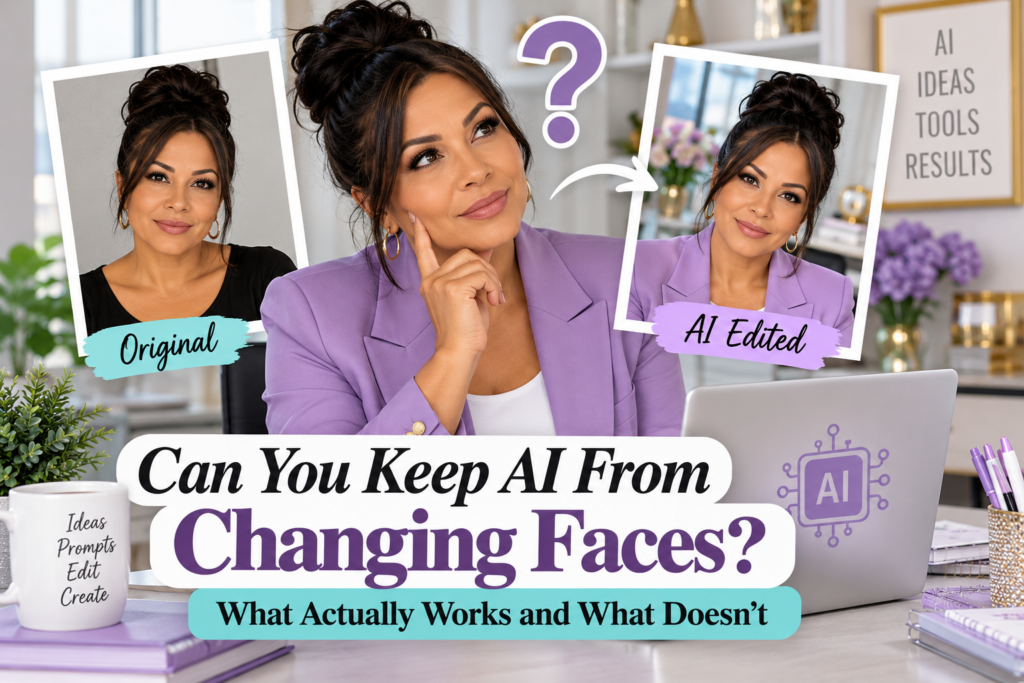
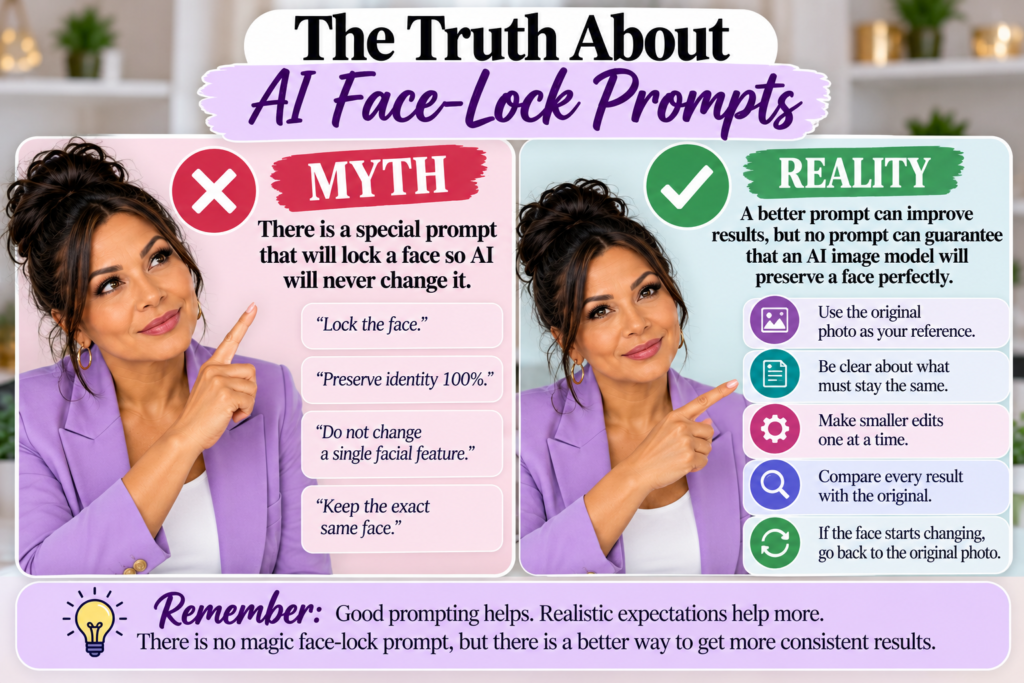
You may have seen social media posts promising a special prompt that will supposedly “lock” a person’s face so the AI cannot change it. Some of these prompts use phrases such as “preserve identity 100%,” “lock facial features,” or “do not change a single part of the face.” Those instructions may help the AI understand your goal, but they cannot guarantee that the face will remain exactly the same.
That difference matters. Learning how to use AI effectively means understanding what better prompting can improve and what prompting cannot completely control.
Can You Really Keep AI From Changing Faces?
The short answer is that you can improve facial consistency, but there is currently no prompt that can guarantee an AI image editor will preserve a person’s face perfectly every time. Modern AI image tools have become much better at targeted edits and subject preservation, but an edited image is still being processed and partially regenerated by the model.
OpenAI’s current image tools are designed to make more precise edits while preserving important parts of the original image. OpenAI also recommends clearly explaining what should change and what should remain unchanged when editing an existing image. You can read more about current image capabilities through the OpenAI image-generation documentation.
Even with better image models, visual consistency can still vary. Facial features, clothing details, backgrounds, text, body proportions, and other elements can occasionally change in ways you did not request. That is why people looking for a way to keep AI from changing faces should think in terms of improving consistency rather than finding a guaranteed face-lock command.
Why Does AI Change the Face When You Asked It to Change Something Else?
Imagine uploading a photograph and asking the AI to change only the person’s shirt from blue to lavender. From your perspective, that sounds like a very simple request because you want one object changed and everything else left exactly as it is.
The AI, however, still has to analyze the image and generate an edited version. Depending on the model, the original photograph, the amount of the image being changed, and the complexity of the edit, nearby details may be regenerated or altered slightly. Sometimes the changes are barely noticeable, while other times the person’s eyes, nose, mouth, jawline, age, expression, or skin tone can look noticeably different.
OpenAI’s image-editing guidance also explains that selected editing areas may not always behave like perfectly isolated pieces of a traditional photo-editing program. You can review current guidance in the ChatGPT Images Help Center article.
This does not mean AI image editing is unreliable or useless. It simply means that using AI for precise image editing requires reviewing the result rather than assuming that everything outside the requested change will automatically remain untouched.
Start With the Original Image Whenever Identity Matters
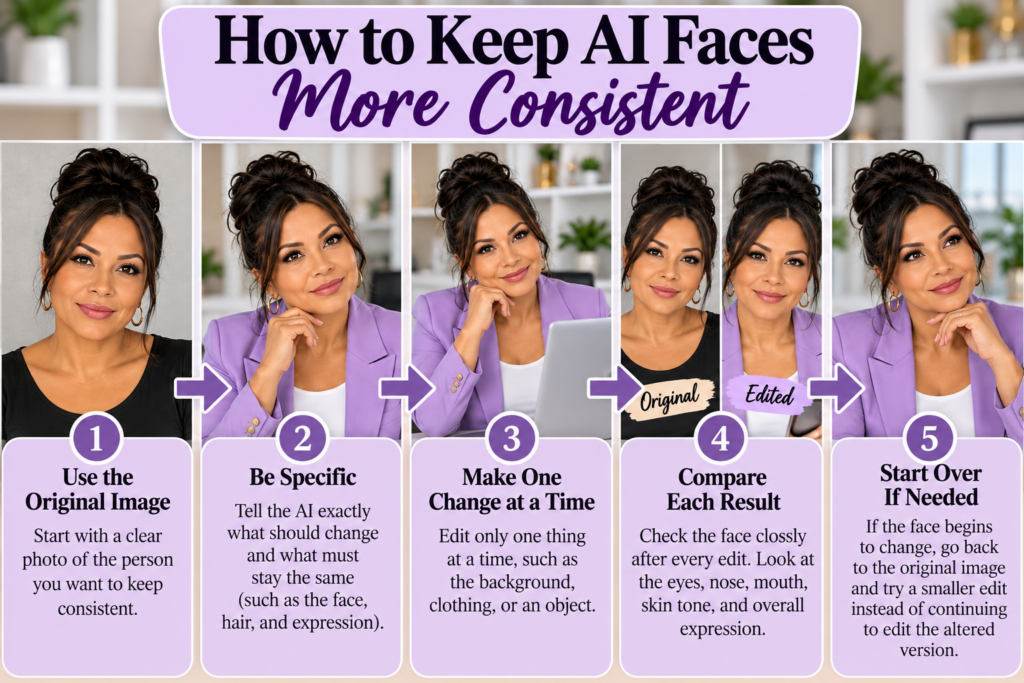
One of the best ways to keep AI from changing faces is to give the AI the original image whenever the editing tool allows you to upload a reference photograph. A real reference gives the model far more visual information than you could realistically provide through a written description.
Consider trying to recreate someone from a sentence such as, “A woman in her 50s with brown eyes, dark hair, an oval face, and a friendly smile.” Thousands of people could match that description, which means the AI has considerable freedom when generating the face.
Uploading the actual photograph provides information about the person’s facial proportions, eye shape, nose, mouth, hairline, skin tone, expression, age, and other characteristics that would be extremely difficult to describe perfectly. If maintaining identity matters, reference-based editing is usually a much better starting point than asking the AI to recreate the person from text alone.
This is especially important when creating business graphics, family images, portraits, product advertisements, memorial designs, or a series of images that are supposed to feature the same recognizable person.
Make Smaller Changes Instead of Rebuilding the Entire Image
Another useful strategy for people trying to keep AI from changing faces is to reduce the number of changes requested in a single edit. The more elements the AI has to regenerate at once, the more opportunities there are for other parts of the image to shift.
For example, you could ask the AI to change a person’s clothing, hairstyle, pose, office background, lighting, desk accessories, and facial expression in one request. The model may successfully create a beautiful image, but maintaining the exact original identity becomes more difficult when so much of the scene is being reconstructed.
A better approach is to make one significant change at a time. You might first change only the clothing while preserving the face, pose, background, and expression. Once that result looks right, you can use the successful version to make the next controlled change.
This approach may seem slower, but it can actually save time. Fixing one small problem is usually easier than repeatedly trying to repair an image where five different things changed unexpectedly.
Clearly Tell the AI What Must Stay the Same
There is no guaranteed face-lock prompt, but your instructions can still make a major difference. Instead of simply describing what you want changed, tell the AI what it is allowed to change and what needs to remain untouched.
For example, a targeted editing prompt could say: “Edit the uploaded image while keeping the same person and preserving her identity. Keep her facial structure, eyes, nose, mouth, skin tone, age, expression, hairstyle, body position, and overall proportions consistent with the original photograph. Change only the background to a bright professional office with soft natural lighting. Keep the clothing, pose, and facial expression unchanged.”
This type of prompt does not pretend to activate a secret feature inside the AI. It simply gives the model clearer boundaries and reduces ambiguity about the task.
You can adapt the same structure for different types of edits. If you only want to change the person’s clothing, identify clothing as the permitted change. If you only want the background removed, state that the subject should remain unchanged while the background is removed.
Avoid Prompts That Claim to Guarantee a Perfect Face
You may come across prompts online that claim they will preserve a face with “100% accuracy” or permanently “lock the identity.” These prompts often sound technical because they include long lists of facial features, camera terminology, percentages, or instructions that appear to override the image model.
Some of those instructions may genuinely help because they tell the model what details are important. The problem begins when someone claims that a particular collection of words guarantees the outcome.
A prompt is an instruction to the AI. It is not a command that overrides the technical limitations of the image-generation system. This is an important distinction for beginners because social media sometimes presents AI prompting as though every limitation can be solved by finding the right secret phrase.
Better prompting can improve results considerably, but it cannot force a model to perform with perfect consistency. That same principle applies outside of image creation. BSL’s guide on AI Mistakes Beginners Make: 7 Smart Ways to Get Better Answers explains why people should review AI-generated information instead of assuming that confident wording automatically means the answer is correct.
Liz’s Note
One reason I wanted to talk about this is because I keep seeing AI tips presented as guarantees. Someone discovers a prompt that worked well once or twice and suddenly it becomes “the secret prompt” everyone supposedly needs to use.
I use AI regularly, and one thing I have learned is that the exact same instruction does not always produce the exact same result. I can ask for one small change and get exactly what I wanted, then make another edit and notice that something else changed that I never asked the AI to touch.
That does not mean the tool is bad. It means we need realistic expectations about what these tools can and cannot do. I would rather tell you that a method can improve your results than promise that it will work perfectly every time.
When you see an AI trick online, try it if it makes sense, but pay attention to the result. You do not need to believe every impressive claim simply because someone called it a “secret prompt.”
Compare Every Edited Face With the Original
After the AI produces an edited image, do not judge the entire picture only from a distance. Zoom in on the person’s face and compare it with the original photograph before approving the edit.
Pay particular attention to the eyes, eyebrows, nose, lips, jawline, cheeks, skin tone, hairline, age, and expression. Sometimes the edited person looks similar enough at first glance that the differences are easy to overlook.
This becomes even more important when creating several images featuring the same subject. A small facial change in the second image can become more noticeable after additional edits, especially if each new version is based on the previous AI-generated image instead of the original photograph.
If the face begins drifting, returning to the original image can sometimes produce a better result than continuing to edit an already altered version. That gives the model a stronger reference for the person’s actual appearance.
What Should You Do If the Face Keeps Changing?
If you have clearly described what should remain unchanged and the face still looks different, repeating the same prompt over and over may not solve the problem. Instead, change your editing strategy.
Return to the original photograph and make the requested edit smaller. Reduce the number of elements being changed, use targeted editing tools when available, and clearly repeat which parts of the person’s appearance should remain consistent.
If the tool allows you to select or mask a specific area, limit the edit to the area that needs changing. For example, if you are replacing a background, avoid selecting the person’s face or body unless the tool requires it.
If exact identity preservation is critical and the AI continues altering the person, a traditional photo-editing program may be a better choice for that particular task. AI is extremely useful, but the smartest workflow does not require forcing AI to perform every type of editing job.
Protect Privacy When Uploading Photos to AI
There is another issue worth considering when trying to keep AI from changing faces, especially when the photograph contains a real person. Think about privacy and permission before uploading someone’s image to an AI service.
If you are working with your own photograph, you can decide whether you are comfortable uploading it. If the image belongs to a customer, employee, child, friend, family member, or another person, consider whether you have permission to use their likeness in that way.
You should also avoid unnecessarily combining a person’s photograph with private information that the AI does not need. An image-editing tool may need the photograph, but it probably does not need the person’s address, financial information, medical history, or other unrelated personal details.
This follows the same principle discussed in BSL’s article on ChatGPT Business Privacy: What Is Safe to Share With AI?. Give AI the information it genuinely needs to complete the task instead of automatically providing everything you know.
Better Prompting Helps, but Reviewing the Result Matters More
Prompting is important because the AI cannot understand your intentions unless you communicate them. Clear instructions can dramatically improve the quality of an image edit and reduce unwanted changes.
However, reviewing the finished result is just as important as writing the prompt. Even a well-written instruction can produce an image with a small mistake, unexpected change, or facial inconsistency.
This is why people learning how to keep AI from changing faces should think of prompting and reviewing as two parts of the same process. The prompt tells the AI what you want, while your review determines whether the AI actually delivered it.
If something is wrong, correct it instead of assuming that the first generation must be accepted. Working with AI often involves creating, reviewing, refining, and trying again.
Frequently Asked Questions About Keeping AI Faces Consistent
Is There a Prompt That Can Lock a Face So AI Cannot Change It?
There is no prompt that can guarantee a face will remain completely unchanged during every AI image edit. Instructions such as “preserve the exact face” or “do not change facial features” can help communicate your goal, but they do not create a technical lock on the person’s identity.
Your chances of maintaining consistency are generally better when you provide the original image, clearly identify what should remain unchanged, and make smaller targeted edits instead of asking the AI to regenerate most of the image.
Why Does the Face Change Even When I Tell AI Not to Change It?
AI image editing involves generating or reconstructing visual information. Even when your requested change concerns another part of the image, the model may alter nearby or related details during the editing process.
That is why reviewing the person’s face after every significant edit is important. The model is following your instructions, but those instructions do not always prevent unintended visual changes.
Should I Keep Editing the AI-Generated Version?
Not necessarily. If the person’s appearance begins changing, returning to the original photograph may give you a stronger starting point.
Repeatedly editing an image that has already drifted away from the original can sometimes make the differences larger. When identity matters, keep the original image available throughout the editing process.
Does Making the Prompt Longer Help Preserve the Face?
A longer prompt is not automatically a better prompt. What matters more is being clear about what should change and what should stay the same.
Adding unnecessary instructions, technical-sounding phrases, or dozens of descriptive details can sometimes make the task more complicated. Clear and focused instructions are usually more useful than simply making the prompt longer.
Can AI Create Several Pictures of the Same Person Consistently?
AI image tools are becoming better at character and subject consistency, especially when they have strong reference images. However, small differences may still appear between generations.
If you are creating a series of images for a business, book, social media campaign, or other project, compare the images carefully before using them together. Consistency should be reviewed instead of assumed.
Is Traditional Photo Editing Better for Preserving a Real Face?
Sometimes it is. If you need an exact photographic edit and the person’s identity cannot change at all, traditional photo-editing software may give you more precise control.
AI is particularly useful when you need creative changes, new scenes, backgrounds, concepts, or faster experimentation. The best tool depends on the result you need.
The Real Method for Keeping AI Faces More Consistent
There is no secret sentence that guarantees you can keep AI from changing faces every single time. What works better is having a reliable process that reduces unnecessary changes and helps you catch problems early.
Start with the original photograph whenever possible, and make sure the person’s identity is clearly visible. Tell the AI exactly what you want changed and what must remain consistent. Make smaller edits instead of completely rebuilding the image, and compare every new version with the original before continuing.
If the face changes, return to the strongest original reference rather than repeatedly editing the altered version. When AI cannot provide the precision you need, use another editing tool instead of assuming that a longer prompt will automatically solve the problem.
AI image technology continues to improve, and newer systems are becoming better at targeted editing and preserving important details. Even so, understanding the limits of the technology will help you get better results than relying on social media posts promising a magical prompt that works perfectly every time.
For more practical guidance on using AI without getting lost in exaggerated claims, visit the Building Success with Liz AI guides. The goal is not simply to use more AI. The goal is to understand how to use it well, recognize where it helps, and know when the information or result still needs a human review.
Your Next Step
The next time AI changes a face you were trying to preserve, do not immediately assume that you need a completely different prompt. Go back to your original image, reduce the edit to one specific change, clearly explain what must remain unchanged, and compare the new result with the original before making another edit.
I would also love to know what you have experienced with AI image editing. Has AI ever changed someone’s face when you only asked it to change something completely different? What were you trying to edit when it happened?
Share your experience in the comments. Your example may help another reader understand what to watch for when editing their own AI images.
When it comes to trying to keep AI from changing faces, clear instructions, a strong reference image, smaller edits, and careful comparison will take you much further than any so-called secret face-lock prompt.