
The holidays have a way of making small expenses turn into a very large number. You may start with gifts, then add food, decorations, travel, school events, work parties, shipping, wrapping supplies, and those last-minute purchases that were never part of the original plan. By the time everything is finished, it can be difficult to remember where all the money went.
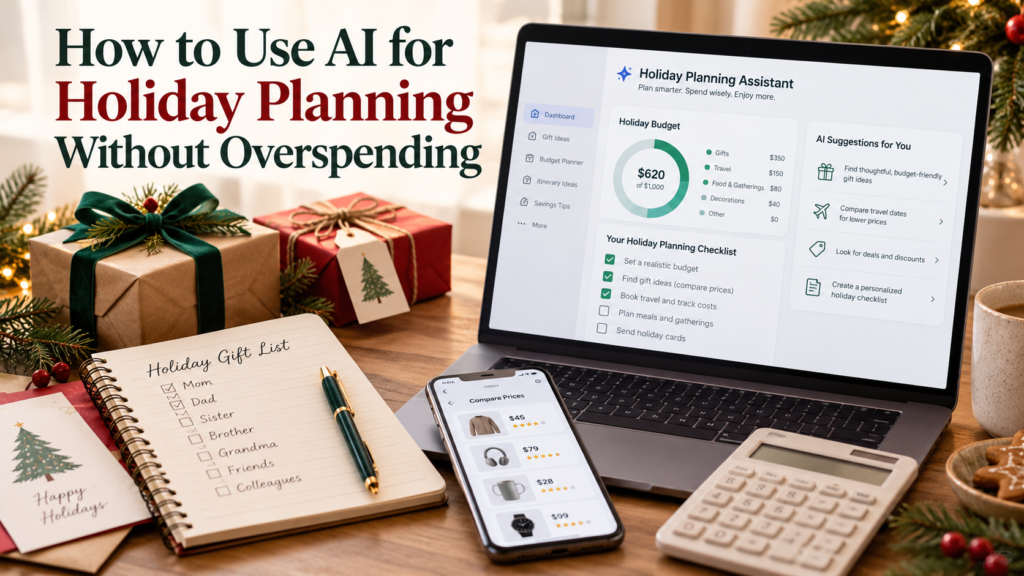
That is where AI holiday planning can actually be useful. Instead of asking AI to tell you what to buy, you can use it as a planning assistant to organize your ideas, create a realistic spending plan, compare choices, and catch expenses you may have forgotten. The important part is that you remain in control of the budget.
AI cannot determine what your household can truly afford. It does not know which bills must be paid unless you tell it, and it should not be making financial decisions for you. Used correctly, however, AI holiday planning can help you think through the holidays before the spending begins.
1. Start With Your Holiday Budget, Not Your Shopping List
Before asking AI for gift ideas or holiday menus, decide how much you can realistically spend. Your normal household expenses still need to be paid in December, so holiday spending should come from money that is actually available after those obligations are considered.
Consumer.gov recommends creating a budget by listing your income and expenses and making sure your planned spending does not exceed the money you have available. The same principle should apply to the holidays. Your holiday budget should fit inside your financial life, not replace it.
Once you know the maximum amount you can spend, AI holiday planning can help divide that amount into categories. For example, if you have $1,000 available, you could ask AI to help you create reasonable limits for gifts, food, travel, decorations, shipping, entertainment, and miscellaneous expenses.
A prompt could look like this:
“I have $1,000 available for holiday spending. Help me divide it between gifts, food, travel, decorations, shipping, and unexpected holiday expenses. Do not exceed $1,000.”
That last sentence matters. Give AI the limit instead of asking it to create one for you.
If you need to look at your finances before deciding what is available, start with our Monthly Money Reset.
2. Use AI to Build One Complete Holiday List
Overspending often happens because holiday purchases are planned separately. You remember gifts but forget shipping. You budget for Christmas dinner but forget the work party. You plan for travel but not parking, snacks, or gas.
One useful part of AI holiday planning is asking AI to help you think through all the categories that may apply to your household before you start spending. You can then delete anything that does not apply to you.
For example, ask:
“Create a holiday spending checklist that includes gifts, food, travel, decorations, clothing, school activities, work events, charitable giving, shipping, wrapping supplies, entertainment, and unexpected expenses. I want to make sure I am not forgetting anything.”
Now you have one master list instead of several disconnected plans. From there, assign a spending limit to every category that applies.
The Consumer Financial Protection Bureau also recommends planning holiday expenses in advance, making a list, and tracking purchases as you go instead of waiting until the season is over to discover how much you spent.
3. Let AI Help With Gift Ideas Within a Price Limit
AI can be especially helpful when you know who you need to buy for but have no idea what to give them. The mistake is asking, “What should I buy my sister for Christmas?” because the suggestions may have no connection to your budget.
Give AI boundaries.
Instead, try:
“Give me 10 Christmas gift ideas for a woman who enjoys gardening, reading, and coffee. Every idea must cost approximately $30 or less.”
Or:
“I need gifts for five coworkers and have a total budget of $75. Give me practical gift ideas that stay within that total.”
This is where AI holiday planning becomes useful rather than expensive. You are using AI to generate choices inside a budget you already established.
Then verify actual prices yourself. AI can suggest products or price ranges, but prices change, sales end, shipping costs vary, and an AI response can be outdated or incorrect.
That same rule applies whenever AI gives you specific information. Our guide on How to Check Whether an AI Answer Is Actually Correct explains why verification still matters even when the answer sounds confident.
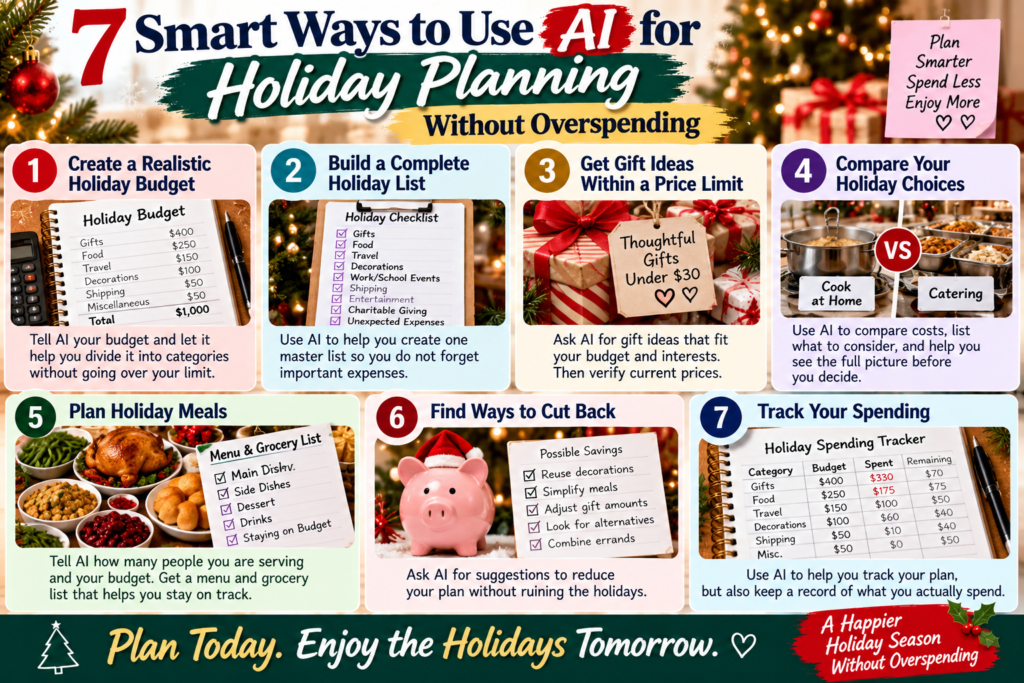
4. Compare Holiday Choices Before You Spend
Sometimes overspending does not come from one expensive purchase. It comes from choosing the more expensive version of everything.
Should you cook Christmas dinner or order catering? Should you drive or fly? Should you exchange gifts with every adult or draw names? Should you buy decorations or reuse what you already own?
AI can help you compare those options before money leaves your account.
For example:
“Compare hosting Christmas dinner at home for 10 people with ordering a catered meal. Create a list of the costs I should compare, including groceries, drinks, desserts, serving supplies, and anything people commonly forget.”
AI does not need to choose the winner for you. Its job is to help you see the full comparison.
This is an important distinction with AI holiday planning. You are not asking AI, “What should I do?” You are asking, “What should I consider before I decide?”
That helps you make a more informed decision without handing your financial judgment over to a chatbot.
5. Use AI to Plan Holiday Meals Before Going to the Store
Holiday grocery shopping is another place where a plan can save money. Walking into the store without knowing exactly what you are cooking makes it easy to buy too much food, duplicate ingredients, or purchase items you never end up using.
You can give AI the number of people you are serving, your menu ideas, and your spending limit. Then ask it to organize the meal and grocery list.
For example:
“I am cooking Christmas dinner for eight adults. My food budget is $175. I want chicken, two side dishes, vegetables, bread, dessert, and nonalcoholic drinks. Help me create a simple menu and grocery list while staying within my budget.”
You still need to check prices at your actual grocery store, but the list gives you a starting point. You can also tell AI what ingredients you already have so it does not build a shopping list full of things sitting in your pantry.
If the first menu looks too expensive, ask it to suggest less expensive substitutions rather than simply increasing your budget.
6. Ask AI Where You Can Cut Back Without Ruining the Holidays
This may be one of my favorite uses of AI holiday planning because sometimes we know the budget is too high but cannot see what to remove.
Suppose your original holiday plan totals $1,400, but you only have $1,100 available. Instead of randomly cutting things, give AI your categories and ask it to find $300 in possible reductions.
You could say:
“My holiday plan currently totals $1,400, but my maximum budget is $1,100. Suggest ways to reduce the plan by $300 without eliminating gifts for children or our family dinner.”
Now AI has to work within your priorities.
It might suggest reducing adult gift amounts, reusing decorations, lowering entertainment spending, changing a meal, combining errands to reduce travel costs, or replacing some purchased gifts with homemade or experience-based alternatives.
The CFPB has also suggested lower-cost holiday approaches such as homemade gifts and giving your time instead of purchasing something expensive.
Cutting back does not mean you failed at Christmas. It means you are protecting January from decisions you made in December.
7. Use AI to Track the Plan, but Track the Actual Spending Too
A beautiful holiday budget means very little if you never look at it again.
Once shopping begins, compare what you actually spend with what you planned to spend. If you budgeted $400 for gifts and have already spent $330 with four people left on the list, you need to know that before continuing to shop.
You can keep a simple running list:
Budgeted: $1,000
Spent: $675
Remaining: $325
Then break it down by category.
If one category comes in under budget, decide intentionally what happens to the difference. You might move it to another category, put it back into savings, or simply leave it unspent.
Do not treat leftover budget as money that suddenly needs a job.
If you are trying to improve your finances beyond the holidays, our 30-Day Financial Improvement Plan can help you continue that progress after the decorations come down.
Do Not Give AI Your Private Financial Information
You do not need to upload bank statements, credit-card numbers, account numbers, passwords, Social Security numbers, or other sensitive information to use AI holiday planning.
AI only needs the numbers required for the task.
Instead of saying, “Here is my entire bank statement,” say, “I have $800 available for holiday spending.”
Instead of uploading your credit-card statement, write down the categories you want help organizing.
You can get plenty of planning help without giving an AI system information it does not need.
Remember the Difference Between an Emergency Fund and Holiday Spending
Holiday spending should not automatically come from money you have reserved for emergencies. Christmas is predictable. A medical emergency, unexpected major repair, or sudden loss of income is not.
If possible, holiday expenses should be planned separately rather than repeatedly pulling money from your emergency savings. Our Emergency Fund vs. Sinking Fund guide explains why predictable expenses are often better handled through sinking funds.
If this year’s holiday budget is already tight, that lesson can still help with next year. Even saving a small amount each month can make next December easier.
Liz’s Note
I like the idea of using AI for holiday planning because this is one area where people can easily get overwhelmed. There are gifts to remember, meals to plan, places to go, things to ship, and expenses coming from several different directions at once.
But I would not ask AI how much Christmas I can afford. That is something I need to decide from my own finances first. Once I know my limit, then I can let AI help me figure out how to make the most of the money I already decided I could spend.
That is the difference I want people to remember. AI holiday planning should help organize your decisions, not make your financial decisions for you.
You do not have to create a picture-perfect holiday. You do not have to match what someone else is spending, and you do not have to start January with new debt just because December was expensive.
A good holiday plan should help you enjoy the season and still recognize your bank account when it is over.
Frequently Asked Questions About AI Holiday Planning
Can AI really help me save money during the holidays?
AI can help you organize a budget, create shopping lists, compare alternatives, plan meals, brainstorm lower-cost gifts, and identify areas where you may be overspending. It cannot guarantee savings, though. You still have to set the spending limit and follow it.
Should I let AI create my holiday budget?
Use AI to organize a budget, but determine the amount yourself. Your holiday spending limit should come from your real income, normal expenses, savings goals, and financial obligations.
Can I ask AI to compare prices?
You can use AI to help identify what to compare, but verify current prices directly with retailers. Prices, promotions, availability, taxes, and shipping costs change frequently.
What if I already spent more than I planned?
Stop and recalculate before continuing. Look at what is still left to buy, how much money remains available, and which categories can be reduced. Do not continue spending based on the original plan when the numbers have already changed.
Your Next Step
Before buying another holiday item, write down one number: the maximum amount you can afford to spend for the entire holiday season.
Then use AI holiday planning to divide that money into realistic categories, create your master list, brainstorm affordable options, and identify expenses you may have forgotten. Check your actual spending throughout the season and adjust before a small overage becomes a large one.
AI can make holiday planning easier, but the best result is not the longest shopping list or the fanciest celebration. It is reaching the end of the season knowing you enjoyed the holidays without creating a financial problem you have to carry into the new year.