
AI can be incredibly useful when you are running a small business. You can use it to brainstorm products, organize your week, write descriptions, compare ideas, create checklists, review information, plan marketing, and work through problems that might otherwise take you hours to figure out.
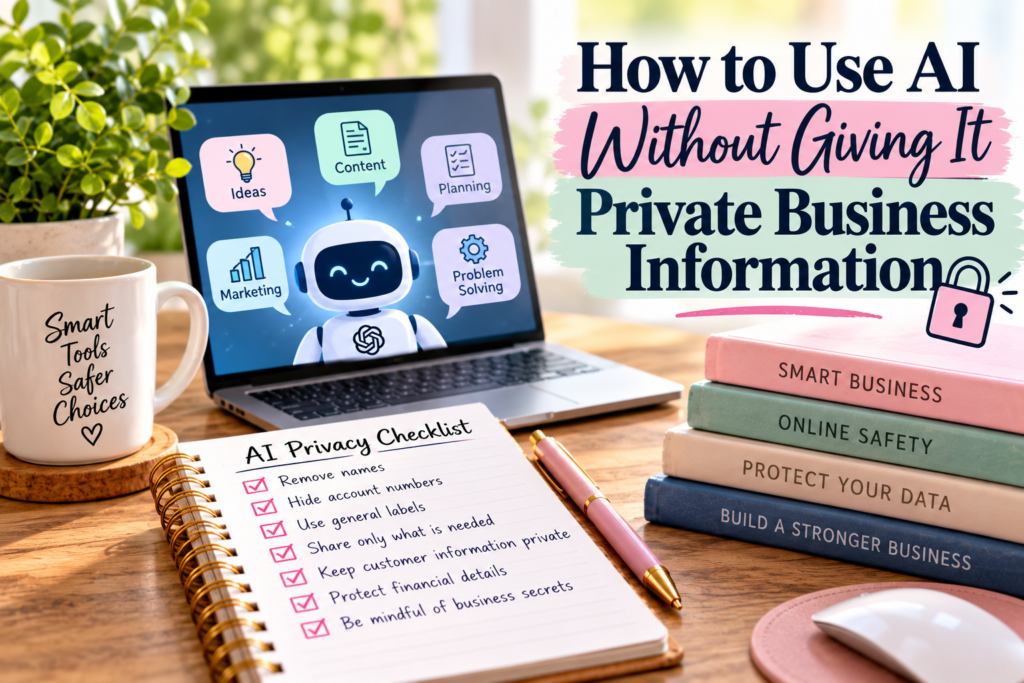
But there is something I want business owners to think about before copying and pasting everything into an AI tool: AI business privacy.
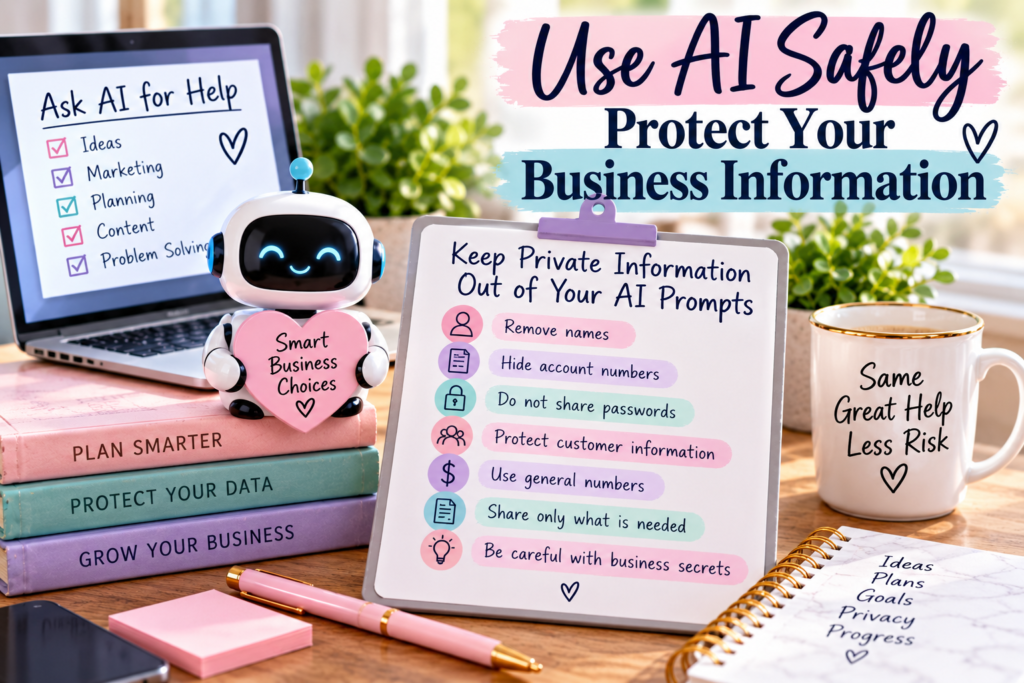
You do not need to give an AI tool every detail about your business to get a useful answer. In many cases, you can remove names, account numbers, customer information, private financial details, passwords, addresses, and other identifying information and still get exactly the help you need.
That is what we are going to talk about today. I am not going to tell you to stop using AI or make it sound as though every AI tool is waiting to steal your information. I want to show you how to use AI while being more thoughtful about what you share.
Because AI can be useful without knowing everything about you or your business.
What Does AI Business Privacy Actually Mean?
AI business privacy simply means thinking about the information you are sharing before you type it into an AI tool, upload a file, or paste part of a business document into a conversation. The question is not only, “Can AI help me with this?” but also, “Does AI need all of this information to help me?”
Most of the time, the answer is no.
Suppose you want AI to help you write a response to a difficult customer. The AI probably needs to understand the situation, what the customer complained about, and what resolution you are willing to offer. It probably does not need the customer’s full name, home address, telephone number, email address, order number, or payment details.
You can change those details to something simple like “Customer A” and still get help writing the response.
That small change is what practicing AI business privacy can look like in real life.
If you want a more detailed explanation of what should and should not be shared, read Is It Safe to Share Business Information With ChatGPT? What to Share, Redact, and Keep Private. That article goes deeper into the types of business information you should think about before uploading or pasting documents into an AI tool.
You Can Give AI the Situation Without Giving It the Identity
This is probably one of the easiest changes you can make.
AI often needs the situation, not the identity of the person involved.
Imagine you received an email from a customer named Jennifer Smith who lives at 123 Main Street and placed order number 84729. Jennifer says the personalized product she received has the wrong name on it and wants a replacement.
If you want AI to help you draft your response, you do not need to paste all of Jennifer’s information into your prompt.
Instead, you could say:
“A customer received a personalized product with the wrong name. The mistake was mine, and I want to apologize and offer a free replacement. Help me write a friendly response.”
AI has everything it needs.
The name did not matter.
The address did not matter.
The order number did not matter.
That is one of the simplest ways to improve AI business privacy without making AI less useful.
1. Replace Real Names With General Labels
You can remove names from many business situations without changing the problem you are trying to solve.
Instead of writing:
“Jennifer complained that Michael forgot to package her order correctly.”
You can write:
“A customer complained that an employee packaged the order incorrectly.”
If you are comparing employee schedules, use Employee A, Employee B, and Employee C. If you are reviewing customer situations, use Customer A and Customer B. If you are discussing suppliers, Supplier A and Supplier B usually work just fine.
The goal is to give AI enough context to help without automatically giving it every identifying detail.
This becomes especially important when you are working with information that belongs to someone else. AI business privacy is not only about protecting your information. It is also about being careful with information customers, employees, contractors, and other people have trusted your business to handle.
2. Remove Account Numbers Before Asking for Help
Let’s say you are looking at a business statement and there is a charge you do not understand. You may want AI to help you understand what a particular term means or how the numbers are organized.
That does not mean you should upload a document containing your full bank account number.
Remove it first.
The same rule applies to credit-card numbers, payment account information, tax identification numbers, Social Security numbers, login information, verification codes, and other credentials.
Think about what you are actually asking.
If your question is, “What does this fee mean?” the AI needs the description of the fee. It does not need the number that accesses your account.
This is where AI business privacy becomes less complicated than people sometimes make it. Ask yourself whether the private detail changes the answer. If it does not, leave it out.
3. Do Not Give AI Your Passwords or Verification Codes
This one should be a hard rule.
Do not put your passwords into an AI prompt. Do not share authentication codes, security answers, recovery codes, PIN numbers, or temporary verification codes either.
There is usually no reason an AI tool needs them.
If you need help creating a stronger password strategy, you can ask AI to explain what makes a strong password. If you are having trouble setting up multi-factor authentication, you can ask for general instructions.
You still do not need to provide your actual credentials.
For AI business privacy, some information should simply stay private.
4. Redact Customer Information Before Uploading Documents
This is especially important for business owners who use AI to review forms, spreadsheets, orders, customer messages, contracts, or other files.
Before uploading the document, look at what is inside it.
Does it contain customer names?
Addresses?
Telephone numbers?
Email addresses?
Payment information?
Birth dates?
Account numbers?
Private notes?
If those details are not necessary for the task, remove or replace them before uploading the document.
You can often create a clean copy specifically for the AI task. For example, if you want help identifying patterns in customer complaints, you may only need the complaint category, product, date, and outcome.
You probably do not need the identity of each customer.
Practicing AI business privacy does not mean avoiding useful tools. It means giving the tool the information required for the task and leaving unnecessary private information out.
5. Use Rounded Numbers When Exact Financial Numbers Are Not Necessary
There are times when you want AI to help you think through a financial business decision.
Maybe you want to compare two products.
Maybe you are deciding whether a subscription makes financial sense.
Maybe you want help calculating a break-even point.
Sometimes exact numbers matter. Other times they do not.
Suppose your business earned $47,382.16 last year and you want general ideas for reducing expenses. You may not need to provide the exact number.
You could say:
“My business generates approximately $45,000 to $50,000 per year. My largest expenses are materials, event fees, shipping supplies, and software. Help me identify areas I should review.”
That may be enough for the conversation you are trying to have.
If later you need an exact mathematical calculation, you can decide what information is required for that specific calculation.
This is a useful AI business privacy habit because it encourages you to share information intentionally rather than automatically.
6. Do Not Paste an Entire Contract When You Only Need One Section Explained
AI can be useful for helping you understand difficult language, including language found in contracts and agreements. That does not mean the first step should always be uploading the entire document.
If you are confused about one clause, start with the clause.
Remove names, addresses, financial account information, signatures, and other information that is not relevant to the question. Then ask AI to explain that section in plain language.
There is another important point here. AI can help you understand words, organize questions, or identify areas you may want to research, but it should not replace appropriate professional legal advice for important contracts.
Use the tool to become better informed.
Then verify what matters.
If you are still learning where AI is useful and where you should slow down and verify information, the BSL AI for Beginners section is a good place to start. It explains practical ways to use AI while also covering information you should protect and situations where AI answers need additional verification.
7. Give AI a Sample Instead of Your Entire Customer List
Suppose you have 500 customer records and want help organizing your spreadsheet.
You probably do not need to upload 500 real customer records to explain what you need.
Create sample data.
Instead of actual customer information, use something like:
Customer 001
Product A
Order Date
Order Total
Status
Then show AI several example rows and explain what you want the spreadsheet to accomplish.
You might ask it to recommend columns, formulas, categories, filters, or a better organization system using the sample.
Once you understand the structure, you can apply it to your real spreadsheet.
This approach protects AI business privacy while still allowing you to take advantage of AI for planning and organization.
8. Be Careful With Business Secrets and Unreleased Ideas
Not all private business information involves customers or bank accounts.
Some information may be confidential because it gives your business an advantage.
That could include an unreleased product formula, confidential supplier arrangement, private wholesale pricing, proprietary process, unpublished product design, internal strategy, or information covered by a confidentiality agreement.
Before sharing something like that with an AI tool, ask whether the tool actually needs the confidential details.
You might be able to describe the problem more generally.
Instead of sharing your complete proprietary recipe, you might say:
“I make a handmade product using six ingredients. I want a system for tracking ingredient costs when supplier prices change.”
Now AI can help you design the tracking system without knowing the formula itself.
The Federal Trade Commission has specifically discussed privacy and confidentiality concerns involving AI providers and business data. The FTC has noted that users may reveal sensitive or confidential information, including internal business documents, when using AI services, which is another reason businesses should think carefully about the data they provide. You can read the FTC’s discussion on AI privacy and confidentiality commitments.
9. Read the Privacy Settings of the AI Tool You Are Using
Not every AI service has the same policies, settings, or business model.
Before using an AI tool for business work, take a few minutes to understand what settings are available and how the service says it handles information. This becomes even more important if you plan to use the tool regularly with business documents or internal information.
Look for information about data controls, conversation history, training preferences, retention, business or enterprise accounts, and file handling. Policies can change, which is why I would rather you check the current information provided by the company than rely on something somebody said in a video six months ago.
Good AI business privacy habits involve understanding the tool you are using instead of assuming every AI platform works exactly the same way.
You do not need to become a privacy attorney to do this. You simply need to know enough to make an informed decision about what you are comfortable sharing.
A Simple Question to Ask Before You Hit Send
Before sending something to an AI tool, ask yourself:
Does AI need this specific piece of information to answer my question?
That one question can prevent a lot of unnecessary sharing.
If the answer is no, remove it.
If you can replace a name with “Customer A,” do that. If you can replace the exact revenue figure with a range, consider doing that. If the account number has nothing to do with the question, remove it.
If you only need one paragraph explained, do not automatically upload 25 pages.
This does not have to become complicated.
Good AI business privacy often comes down to sharing what is necessary and leaving out what is not.
What You Can Safely Ask AI Without Revealing Private Information
There is still a lot you can do.
You can brainstorm social media topics without sharing your passwords or customer list. You can ask for product-description ideas without providing your bank statements. You can build a weekly schedule without providing employee Social Security numbers.
You can also ask AI to help create checklists, organize projects, compare general business ideas, explain terminology, brainstorm promotions, develop questions for a meeting, review public information, create content outlines, and help you think through a problem.
That is why I do not want a conversation about AI business privacy to make business owners afraid of AI.
The goal is not fear.
The goal is better judgment.
The BSL AI for Beginners section was created for exactly that reason. AI becomes much more useful when you understand both what it can do and what information it does not need from you.
What Should Stay Out of Your AI Prompts?
There are certain pieces of information I would treat very carefully.
Passwords, verification codes, Social Security numbers, complete banking or credit-card numbers, private customer payment information, and login credentials should not be casually pasted into an AI conversation.
You should also be careful with confidential employee information, private medical information, tax documents containing identifying information, proprietary company records, signed contracts containing sensitive details, and documents you do not have permission to share.
This does not mean you can never ask AI a question about a tax form, contract, customer situation, or financial statement.
Change the information first.
Remove the identifying details, isolate the part you actually need help with, and ask the question using only the necessary information.
That simple process can dramatically improve AI business privacy.
Create a “Clean Copy” Habit
Here is one habit I think business owners can start using immediately.
Before uploading a business document into AI, create a clean copy.
The original stays untouched.
The clean copy removes names, addresses, account numbers, signatures, customer identifiers, employee information, or anything else that is not needed for the task.
Then use the clean copy with AI.
This is especially useful if you frequently ask AI to help organize documents, analyze information, rewrite business materials, or explain complicated language.
Eventually, it becomes automatic.
You stop thinking, “I’ll just upload this.”
You start thinking, “Let me make a clean copy first.”
That is a practical AI business privacy system, and it does not require expensive software or advanced technical knowledge.
Liz’s Note
I use AI. I write about AI. I think AI can save people a tremendous amount of time when they learn how to use it properly.
But useful does not mean we should stop thinking.
I would not hand a stranger my password because they offered to help me organize my business. I would not give someone my customer’s credit-card information because I wanted help writing an email. Using technology should not make us forget the privacy habits we already understand in everyday life.
Sometimes people swing too far in one direction or the other.
One group wants to put absolutely everything into AI because it is convenient.
Another group becomes so worried about AI that they refuse to use it at all.
I think there is a much more practical middle ground.
Use the tool.
Learn what it can do.
Protect information that does not need to be there.
And keep using your own judgment.
That is what AI business privacy should look like for everyday business owners.
A Quick AI Business Privacy Check Before You Share
Before you paste text, upload a document, or attach a spreadsheet, take a minute and look at what you are about to share. You are not trying to make the document completely meaningless. You are looking for information that does not need to be there for AI to complete the task.
Check for names, addresses, telephone numbers, email addresses, account numbers, passwords, verification codes, customer records, employee information, financial credentials, signatures, private contracts, confidential pricing, and proprietary business information.
Then ask whether each piece is necessary.
If it is not necessary, remove it.
If it can be replaced with a general label, replace it.
If you only need part of the document, share that part instead.
The more often you do this, the easier AI business privacy becomes.
Frequently Asked Questions About AI Business Privacy
Can I use AI for my business without sharing private information?
Yes. Many useful business tasks do not require private information at all. You can brainstorm, organize, draft, compare, plan, and create systems using general business information or fictional sample data.
When private information is part of the original situation, remove or replace anything the AI does not need before submitting your question.
Should I upload customer information to AI?
Be cautious with customer information. In many situations, you can remove names, contact details, order numbers, payment information, and other identifying details and still accomplish the task.
Your customer did not necessarily give you their information with the expectation that it would be uploaded to another service. AI business privacy should include thinking about other people’s information, not only your own.
Can I upload financial statements to AI?
AI may be useful for explaining terminology, organizing categories, or helping you understand financial information, but consider creating a redacted copy first. Remove account numbers, taxpayer identification numbers, personal identifiers, and other information that is not necessary for your question.
You can also use rounded figures or sample data when exact numbers are not necessary.
Can AI help me understand a contract?
AI can help explain difficult wording or help you develop questions about a contract. That does not mean you should automatically upload an entire confidential agreement or rely on an AI explanation as professional legal advice.
Remove unnecessary identifying information and share only the section you need help understanding when possible.
What is the easiest AI business privacy rule to remember?
Ask yourself, “Does AI need this information to answer my question?” If it does not, leave it out.
That one habit can help you use AI more intentionally without giving up the benefits that make the technology useful in the first place.
Your Next Step
The next time you use AI for your business, do not immediately paste your information into the chat.
Look at it first.
Decide what the AI actually needs.
Remove what it does not need.
Then ask your question.
You may be surprised by how little personal or private information AI actually needs to give you a useful answer.
You do not have to choose between protecting your information and using new technology. With a few better habits, you can do both.
That is the goal of AI business privacy: use the tool, get the help you need, and keep unnecessary private business information out of the conversation.